
MOSS-Image accepts a structured layout as the positive prompt. You describe the scene, give each text or visual subject a box, and let the model interpret that arrangement. This independent guide connects our editor to the official layout format.
Prepare your layout
Open the layout editor. Start with the exhibition, coffee or weekend template. Select an element, change its text and description, then drag its box. The Left, Top, Width and Height fields let you adjust the same box numerically. Arrow keys move a focused box by 1 pixel; Shift plus an arrow moves it by 10.
Describe the whole scene separately from individual elements. For a text element, put the exact words in the text field and use its description for font, color and appearance. The canvas is an input preview, not a generated poster. Your draft is saved in this browser, including across UI language changes.
How the coordinates work
The editor uses ordinary top-left coordinates. The exported prompt uses bbox_format: "yxyx" and bbox_coord_space: "abs_centralized": the canvas center becomes the origin, and the vertical coordinate comes first.
bbox = [top - H/2, left - W/2,
        top + height - H/2, left + width - W/2]
On a 1024 × 1024 canvas, the horizontal and vertical ranges are both -512 to +512. Positive x goes right; positive y goes down. A title at left 96, top 96, width 832 and height 160 exports as [-416, -416, -256, 416]. Switching canvas size rescales the editor’s boxes and recalculates these coordinates.
The exact input for our real test
We submitted the following JSON to MOSS-Image-Base through the official Hugging Face Space on October 17, 2026. Download the prompt or load it in the editor.
{
  "summary": {
    "meta": ["poster"],
    "canvas": "single",
    "caption": "A clean blue and white design exhibition poster with a bold Chinese title and a blue abstract sculpture on a white background."
  },
  "items": [
    {
      "label": "text",
      "caption": "Large dark-blue Chinese title at the top.",
      "text": "字有位置",
      "bbox": [-416, -416, -256, 416]
    },
    {
      "label": "object",
      "caption": "An abstract cobalt blue geometric sculpture in the center.",
      "bbox": [-160, -320, 352, 320]
    }
  ],
  "bbox_coord_space": "abs_centralized",
  "bbox_format": "yxyx"
}
summary.caption sets the overall scene. items supplies the individual subjects. Each item has a label, caption and bbox; text items also have a text value. Copy the complete JSON object rather than only the list of boxes.
Generate without leaving this site
- Use Send layout to generator for a 1024 × 1024 canvas, or copy the JSON into the on-page generator. This only prepares local input.
- Authorize your HF free account. The site reads public identity, quota and payment status; generation stops when free eligibility or sufficient quota cannot be verified.
- Choose Base or SFT and review the prompt. On-site settings are fixed to one 1024 × 1024 image, 50 steps, CFG 3, Shift 5, seed 42 and skip layer 22. Other sizes remain available through exported JSON in the official demo or ComfyUI.
- Select Generate once, wait for the result, then Download original PNG. HF controls queue and availability. Reauthorization preserves your prompt and unexpired result in the same tab.
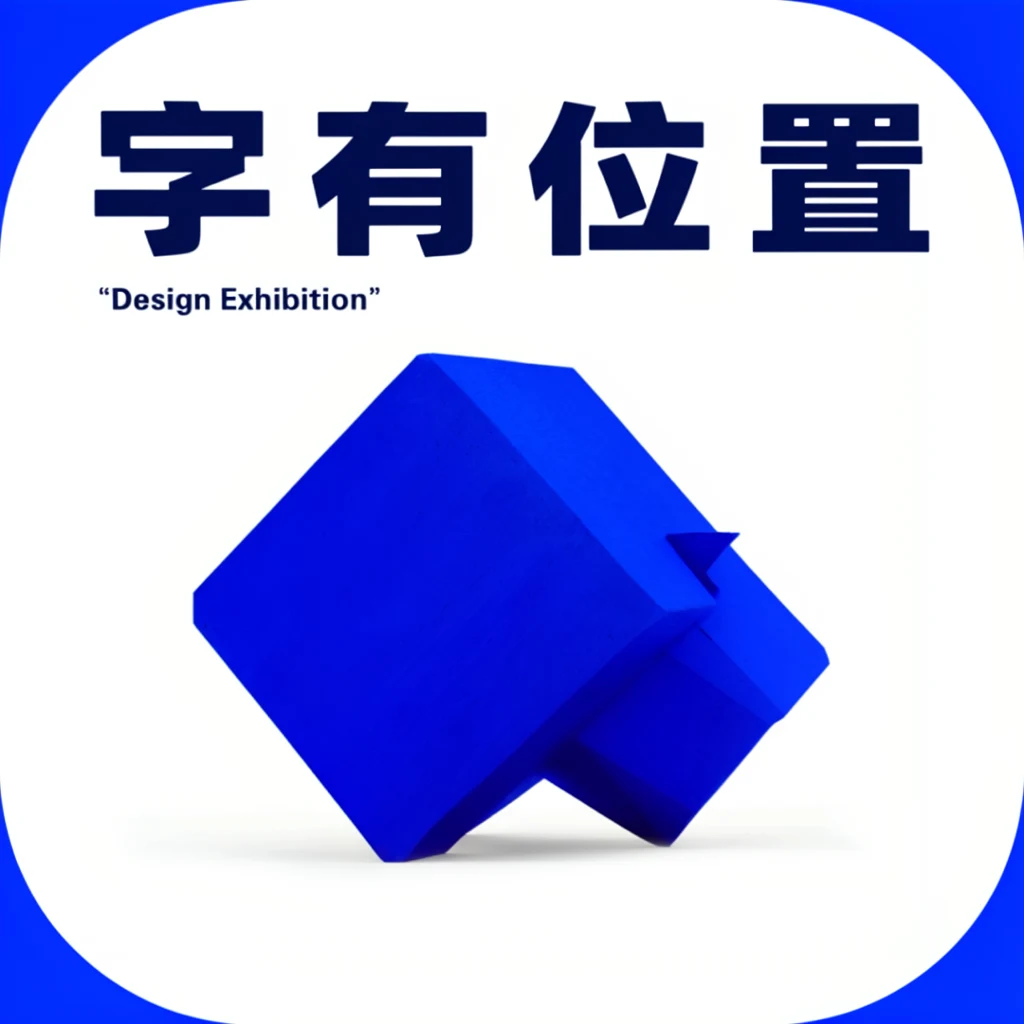
The four requested Chinese characters rendered correctly in this sample. The model also added the unrequested line “Design Exhibition”. We retain that result without retouching. This is one observed generation, not an accuracy benchmark. The generation record includes settings and the original PNG hash.
Two more observed outputs: coffee and music
We submitted both template inputs to the official Space on 17 October 2026 using the Base settings above. Each image below is the first successful output for that input. These three examples are individual observations, not a benchmark or a guarantee of repeatability.
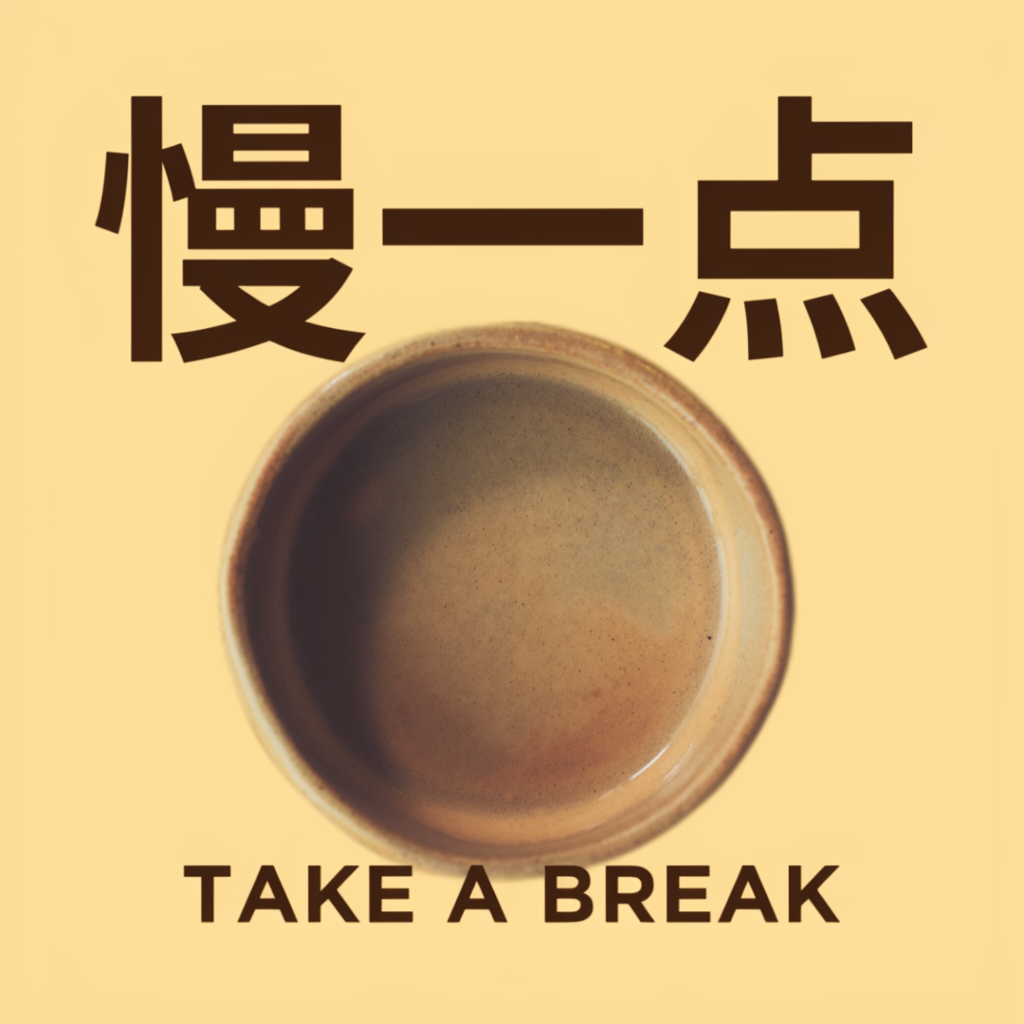
Coffee: 慢一点 / TAKE A BREAK
Both requested lines are readable in this output. The large Chinese title extends beyond its requested height and comes close to the coffee subject. The cup is interpreted as a round, bowl-like vessel. This illustrates why a box is a positioning request rather than a hard crop.
Original PNG · Exact JSON input · Parameters and original hash
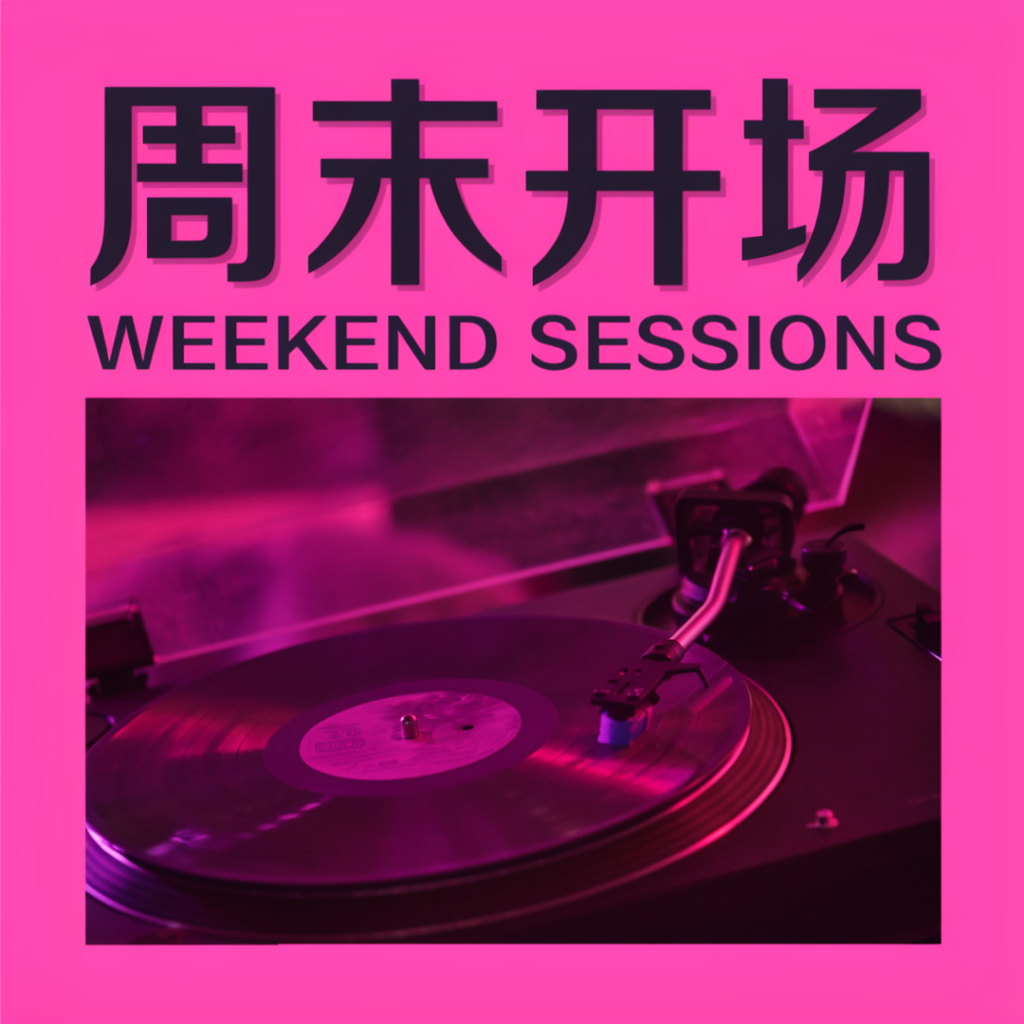
Music: 周末开场 / WEEKEND SESSIONS
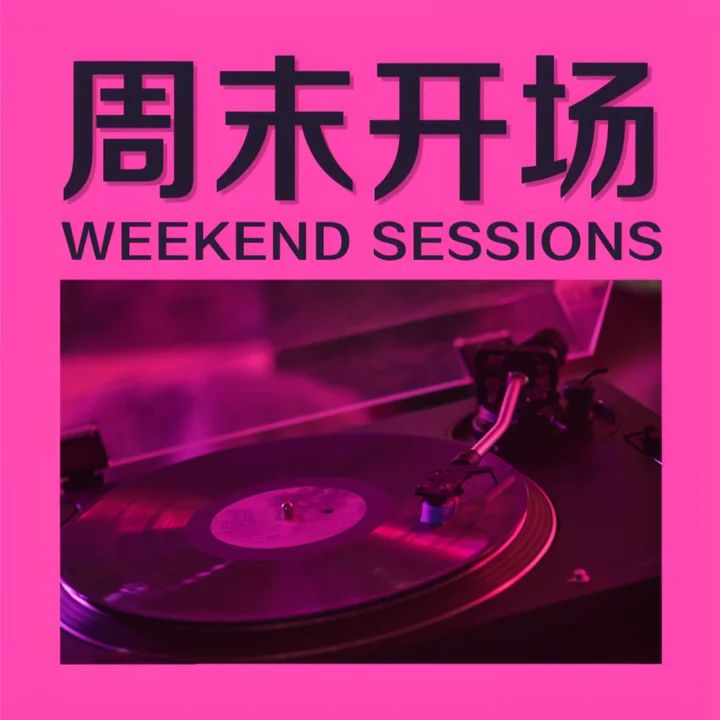
The Chinese and English headings are readable, and the record player occupies the lower part of the poster. The model reinterprets the text height and type styling rather than strictly filling the supplied rectangles. Review the full image before using it commercially.
Original PNG · Exact JSON input · Parameters and original hash
When the result differs
Layout prompts are experimental. A bounding box expresses intent, not a pixel-perfect guarantee. For a crowded poster, try fewer text blocks, larger boxes, shorter text or explicit line breaks. Inspect spelling and any added text before using the image. These are practical adjustments to test, not guaranteed fixes.
Keep output dimensions consistent with the JSON. The official Python pipeline requires dimensions that are positive multiples of 16. The same seed can still produce a different image after model or runtime changes. ComfyUI also has sampling differences; see the ComfyUI guide.
Sources and verification
Model format and recommendations: OpenMOSS user guide, official project. We verified three official Space generations and saved their inputs, outputs and parameters. We have not established general text accuracy or tested local GPU inference. This website is independent of OpenMOSS.