
- moss-image.com
- What is MOSS-Image
What is MOSS-Image?
A plain-language guide to OpenMOSS’s open 5B text-to-image model: how it is built, what it is good at, how it scores, and where it falls short.
MOSS-Image is an open-weight text-to-image model family from OpenMOSS, released on 16 October 2026 under Apache-2.0. It pairs a 5B single-stream diffusion transformer with a frozen Qwen3.5-9B text encoder and the FLUX.2 VAE. Its specialty is text and placement: it renders long Chinese and English passages inside images, reads prompts of up to 4,096 tokens, and accepts a JSON layout that assigns every object and line of text its own bounding box.
You can try it in your browser, run it in ComfyUI or call the official API.
Specifications at a glance
| MOSS-Image | |
|---|---|
| Developer | OpenMOSS (MOSI.AI) |
| Released | 16 October 2026 |
| Generator | 5B single-stream DiT, 42 blocks, hidden size 3072 |
| Text encoder | Qwen3.5-9B, frozen |
| VAE | FLUX.2 VAE, frozen (32 latent channels) |
| Prompt length | Up to 4,096 tokens |
| Prompt formats | Natural language, tag sequences, JSON layout, or a mix |
| Output size | About 0.25–4 MP at any aspect ratio; width and height in multiples of 16; 1–2 MP recommended |
| Checkpoints | MOSS-Image-Base, MOSS-Image-SFT |
| Default sampling | Flow-matching Euler, 50 steps, CFG 3, shift 5, negative-branch layer skip at 22 |
| License | Apache-2.0 |
How it works
The generator is a single-stream transformer: text tokens from the Qwen3.5-9B encoder and image latents from the FLUX.2 VAE are processed together in one sequence, with joint self-attention in each of 42 blocks. Because the text encoder is a large language model, the prompt can be long and detailed — a full poster brief, a tag list, or structured JSON.
According to the technical report, the model was pretrained from scratch on about 3 billion images from public datasets (including ReLAION, OmniCorpus and DataComp) plus text-rich and poster data. Apart from deduplication and removing AI-generated images, the team did not filter the data further; watermarks, blur and compression artifacts are described in the captions instead. Captions were rewritten into short, medium and long versions, with layout JSON giving explicit boxes. Training used a hybrid Muon–AdamW optimizer.
Base vs SFT: which checkpoint to use
Both checkpoints share the same architecture and settings, so you can switch between them freely.
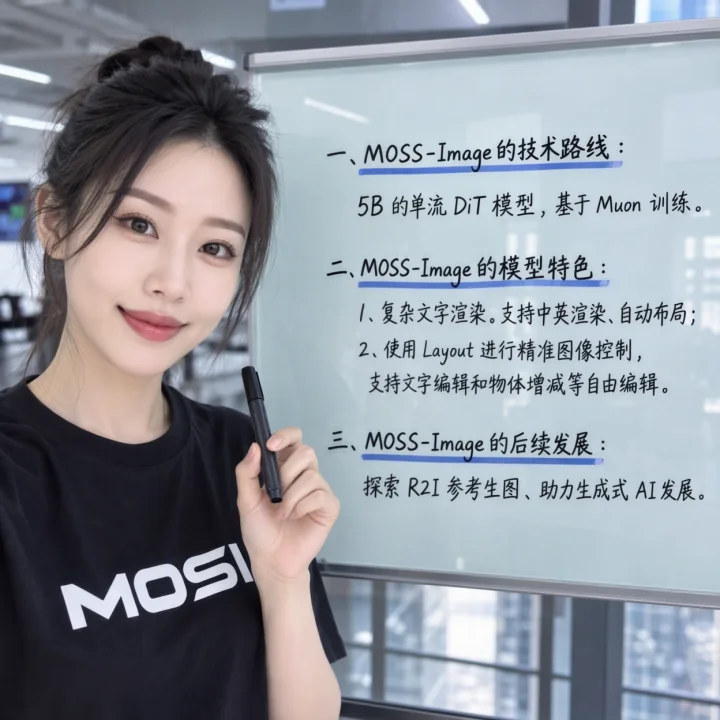
- MOSS-Image-SFT is fine-tuned from Base on curated data. In the official whiteboard comparison it groups text more clearly and organizes the layout better. Use SFT for everyday generation; ComfyUI’s default templates load it too.
- MOSS-Image-Base has no post-training and no CFG distillation. It keeps more variety, reads booru-style tag prompts well, and is the recommended starting point for LoRA training. Short prompts on Base benefit from a higher CFG (3–6).
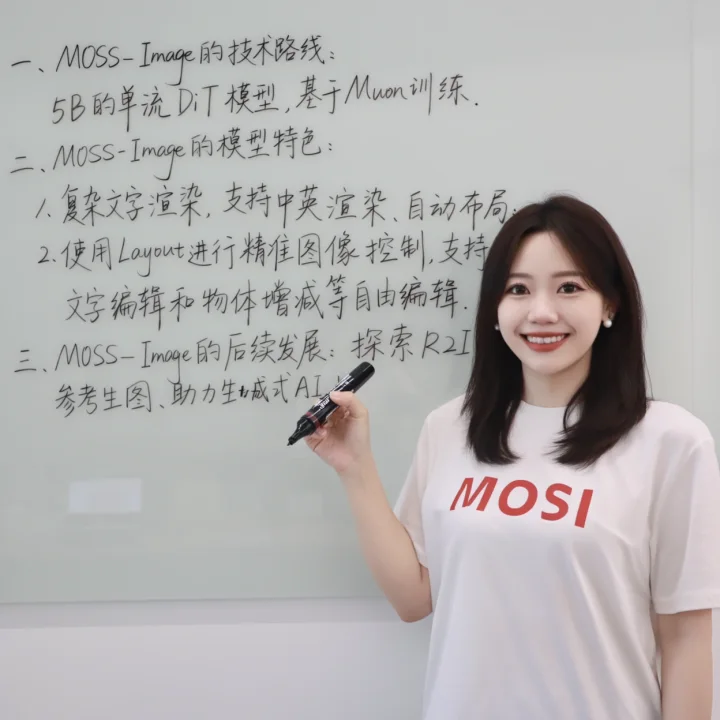
Base output from the official comparison. Open the SFT version to compare text grouping.
Benchmarks
All numbers below come from OpenMOSS’s own technical report. They have not been independently reproduced.
Long text rendering — LongLongTextBench
LLTB asks models to render literary passages of short, medium and long length in English and Chinese, then measures how much of the text appears correctly (Mean-6 coverage across the six bins).
| Model | Mean-6 text coverage |
|---|---|
| MOSS-Image | 96.3 |
| Qwen-Image-2512 | 64.9 |
MOSS-Image is the best open-weight model on this benchmark, 31.4 points ahead of Qwen-Image-2512.
Layout accuracy — 7Bench
7Bench measures how well generated objects land inside the boxes they were assigned (224 images, 576 target objects).
| Model | mIoU | Layout AUC |
|---|---|---|
| MOSS-Image | 0.679 | 0.703 |
| Ideogram 4.0 | 0.243 | 0.205 |
| Qwen Image 3.0 Pro | 0.169 | 0.176 |
| Seedream 5.0 Pro | 0.167 | 0.179 |
| Nano Banana Pro | 0.149 | 0.163 |
| GPT Image 2 | 0.143 | 0.155 |
Every model received the same target boxes. GPT Image 2, Nano Banana Pro, Seedream 5.0 Pro and Qwen Image 3.0 Pro were given the original JSON prompts; Ideogram 4 ran from its public FP8 checkpoint with the boxes converted to its own JSON schema. mIoU counts a missed object as zero. Ideogram’s own report lists about 0.69 mIoU on 7Bench, which OpenMOSS attributes to differences in model variant, prompt format and scoring.
Human preference — RealLayoutArena
In blind pairwise votes on realistic, layout-heavy requests, the full MOSS-Image system scored 1698.70 Elo, second only to GPT Image 2 and ahead of Seedream 5.0 Pro. When every generator received the same enhanced prompt, the MOSS-Image backbone ranked first of nine at 1807.34 Elo, ahead of ERNIE Image (1748.51). The same study found JSON layout prompts scored highest of the prompt strategies tested (1622.87 vs 1506.20 for natural language).
What it is good at
- Text inside images: posters, menus, signs, labels, whiteboards and infographics with Chinese, English or mixed text.
- Long, detailed prompts: up to 4,096 tokens, enough for a complete design brief.
- Placement: JSON layouts with a bounding box per element. Our layout editor writes them for you.
- Styles beyond text: OpenMOSS highlights anime and photorealistic output; see the official night-street and illustration samples on our home page.
- Efficiency and fine-tuning: a 5B generator is light enough for consumer GPUs with quantized weights, and Base is designed for LoRA training.
Known limitations
- Text-to-image only out of the box. The official models take no image input. Editing currently needs a community LoRA on ComfyUI’s development branch.
- Layout is experimental. Boxes are strong guidance, not hard walls; in our tests text sometimes ran taller than its box. See real examples.
- Long text still needs proofreading. Coverage of 96% means some passages contain errors; rare characters and very small text are hardest.
- English prompts are safest. The report says training captions are “predominantly in English, without dedicated Chinese-caption annotation”. Chinese prompts work, and Chinese text renders well, but results may vary more.
- SFT can show vertical color banding on some images. A community DeBand LoRA reduces it.
- 50 steps is the quality default. That makes it slower than distilled models; a community 8-step DMD LoRA trades some quality for speed.
Ways to use MOSS-Image
| Route | Best for | Cost |
|---|---|---|
| Online generator | Trying it now, any ratio, up to 2 MP | 3 free images, then credits |
| Hugging Face Space | Free use with your HF quota | Free; limited by your daily ZeroGPU time |
| ComfyUI | Local workflows, layouts, LoRAs | Free on your GPU |
| Diffusers / Python | Scripts and custom pipelines | Free on your GPU |
| Official MOSI API | Apps and automation | Free for a limited time during beta; API key required |
Timeline
- 16 Oct 2026 — MOSS-Image-Base and MOSS-Image-SFT released with code and weights; day-0 support in ComfyUI, SGLang and vLLM-Omni.
- 18 Oct 2026 — KohakuMossTrainer released for LoRA and full fine-tuning.
- 19 Oct 2026 — Technical report published on arXiv (2610.23374).
- 20 Oct 2026 — MOSS-Image available on the official MOSI API platform. ComfyUI adds a community color and depth control adapter.
- 22–23 Oct 2026 — ComfyUI’s development branch adds support for MOSS-Image edit LoRAs (not yet in a stable release).
Questions
Who made MOSS-Image?
MOSS-Image was developed by the OpenMOSS team (MOSI.AI), the group behind the MOSS language and speech models. The code and weights are published on GitHub, Hugging Face and ModelScope.
When was MOSS-Image released?
The Base and SFT weights were released on 16 October 2026. The technical report followed on arXiv on 19 October (arXiv:2610.23374), and the official MOSI API added MOSS-Image on 20 October 2026.
Is MOSS-Image open source?
The weights and the standalone pipeline code are released under the Apache-2.0 license, which allows commercial use. Third-party components keep their own licenses.
How many parameters does MOSS-Image have?
The image generator is a 5B-parameter single-stream diffusion transformer. It uses a separate, frozen Qwen3.5-9B text encoder and the FLUX.2 VAE, so the full pipeline is larger than 5B.
Can MOSS-Image edit images?
Not on its own: the official Base and SFT models are text-to-image only. Since 22–23 October 2026, ComfyUI’s development branch can load a community edit LoRA (MOSS Image Edit) that changes colors, outfits, lighting or style from a text instruction. It is not in a stable ComfyUI release yet, and our online generator does not offer it.